Skins |
Effects |
Controllers |
Languages |
Samples |
Grafx |
Tools |
Subir |
![]() |
Nombre: Denon MC3000 DJ Controller Autor: kalo01 - Professional edition user - Fecha de inclusión: Sun 22 Jul 12 @ 2:38 pm Ultima Actualización: Mon 31 Dec 12 @ 1:38 pm Descargas mensuales: 82 Descargas Totales: 917 Sus licencias actuales no le permiten descargar Controllers |
Basado en:
Descripción:
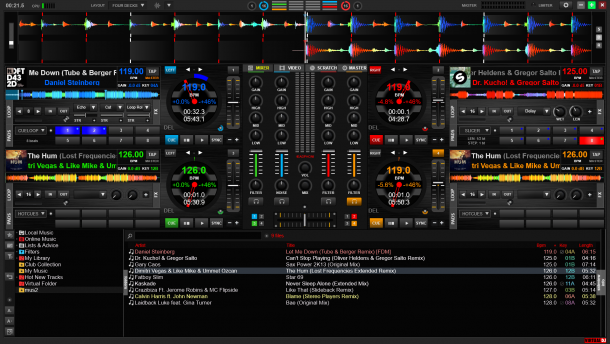
This mapping adds a lot of NEW features to the Denon MC3000 DJ Controller:
More user friendly (NEW features):
- Automatic Prelisten next song (headphones): [BROWSE] to maximize Browser .. prelisten song .. use jogwheel to scroll .. press [<<] or [>>] to seek
- Indicates end of song: [LED Play] & [LED Cue] start blinking if remaining song length less then 30 sec, fast blinking if less then 15 sec
- Change pitch range via controller: Hold [VINYL] and toggle [KEYLOCK] to change pitch range (6,8,12,50,100%)
- Harmonic Mixing: Transpose song in halftone steps to support better mixes: press [<<] or [>>] together with [VINYL], press all 3 buttons to reset
Transport (NEW features):
- Beat jump feature: Press [<<] or [>>] to jump 16 beats (4 bars), song keeps in sync, press [^SHIFT] with [<<] or [>>] to pitchbend
- Speed seeking with [Jog wheel]: Hold [<<] or [>>] while turning the jog wheel, jumps fast to any position in the song
- Automix mode: [>>] mixes into the next track during Automix mode
- Shift loop position smoothly: Press [SAMP] together with [-] or [+] Button (beside Auto Loop) during loops to shift back or forth smoothly
Samples (NEW features):
- Enhanced sample play: possibility to play several samples at the same time, possibility to change sample volume before playing the sample
- Sample Window: Turn [SEL] to select the sample, press [SAMP] and turn [SEL] for sample volume, press [SEL] to play sample
Effects (NEW features):
- Effects 1-4 (buttons and knobs): unchanged to factory setting, you can select any effect in VDJ and use them in addition to features below:
- Multiple effects can be active at the same time: [EFX1] Button & Knob can activate another effect without disable the earlier effect
- 4 additional effects on FX1 and FX2: [FX1] = ‘Beatgrid’, [^SHIFT+FX1] = ‘FlippinDouble’, [FX2] = ‘Noisebell’*, [^SHIFT+FX2] = ‘Brake’
- Rising white noise effect: ‘Noisebell’* is useful to prepare a fade into next song - test it: press [FX2] and turn the jog wheel slowly clockwise !
- Enhanced jog wheel functions: Use jog wheel also for ‘Noisebell’ Effect (together with [FX2]) and for speed seeking (together with [<<,>>])
- Play after ‘Brake’ effects: [Play] button also stops any active ‘Brake’ and starts playing, this avoids any unexpected follow up brakes
Filter (NEW features):
- Enhanced filter: Use [filter] knob for a dedicated [Filters_v2_TexZK]* effect - similar to default VDJ filter but more expressive
History (main features since ver. 2.0):
- Beat jump feature easier to use: Press only [<<] or [>>] to jump 16 beats, press [^SHIFT] with [<<] or [>>] for original pitchbend function
- Prelisten functionality: no longer need for [CF MODE] button, use [BROWSE] to maximize Browser and prelisten starts automatically
- Prelisten features: use [<<] or [>>] to seek in the prelisted song, browse through song list via jogwheel, PFL switched off automatically
- Change pitch range via controller: Hold [VINYL] and toggle [KEYLOCK] to change pitch range (6,8,12,50,100%)
- Smaller enhancements: e.g. unload songs with [^SHIFT] + [CUE 1-8] available in all windows (browser/sampler/effects/record)
*Important: To use all supported effect functionalities, you also have to download and install 2 additional plug-ins (thanks to the author TexZK !):
- download plug-in [Filters_v2_TexZK] here: http://www.virtualdj.com/addons/4294/Filters.html
- download plug-in [Noisebell] here: http://www.virtualdj.com/addons/12202/NoiseBell.html
Feedback welcome,
enjoy it !