


 kradcliffe
Niels (cph) wrote :
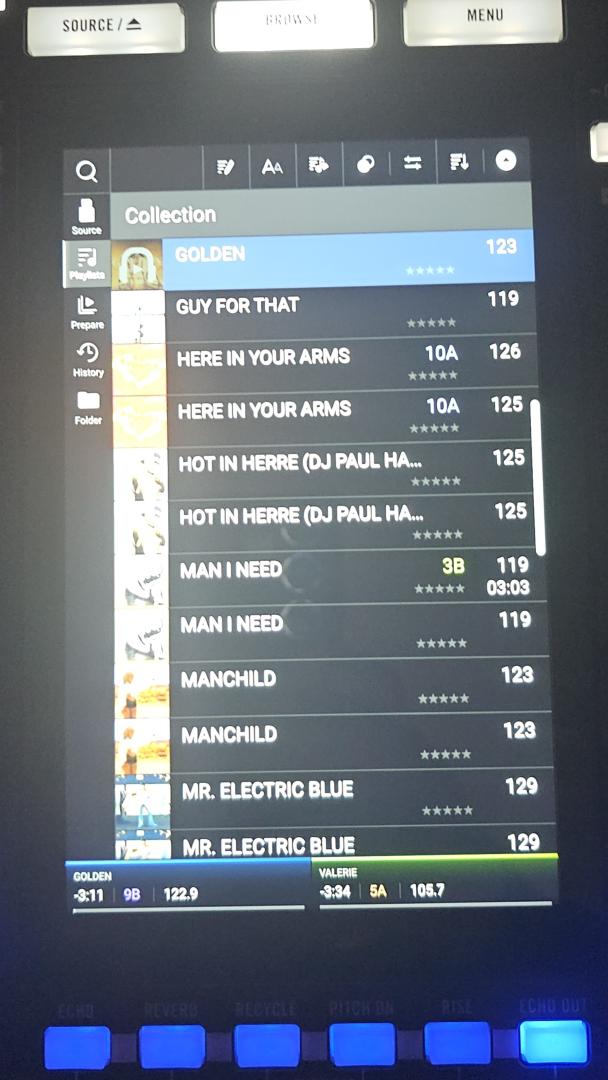
Have you tried exporting a CDJ stick in VDJ and loading it on the System One? Does that work?
Just tried exporting a folder to a pen drive in CDJ2000 mode. Player offered to import the Rekordbox data which I said yes to.
Unfortunately some of the tracks have double entries, some have key info and others don't but the cue points are there.
Maybe I used the wrong mode or something isn't working correctly. I recall trying this about a year ago when I got the Prime Go+ and it didn't work properly then either.
Dan (djtouchdan) wrote :
Honestly it’s the first time for a long time I’ve seen a controller and was genuinely excited by it.
Yes, me too.
Mensajes Sat 24 Jan 26 @ 2:10 pm
 Niels (cph)
That’s a shame.. How are you playing on it then? No DJ apps support it yet. Are you converting your VDJ library to Engine using Lexicon or similar? Or are you just loading/analyzing tracks on the device?
Mensajes Sun 25 Jan 26 @ 7:26 am
 the SOUND INSURGENT
Dan (djtouchdan) wrote :
I bit the bullet on one of these, coming Monday as I’m away over the weekend.
Honestly it’s the first time for a long time I’ve seen a controller and was genuinely excited by it.
Honestly it’s the first time for a long time I’ve seen a controller and was genuinely excited by it.
DAN!! Long time no see!! Glad to see your still here buddy 🤘🏾
Mensajes Sun 25 Jan 26 @ 1:37 pm
 Dan (djtouchdan)
Hey Huey, still here even if I hide in the darkness sometimes.
Unboxed my unit today, as Keith said the build quality is great. It’s the first unit I’ve had with interactive screens, so the size of the screens to me is not an issue. I’d image if you were coming from larger screens or maybe an issue.
Platters feel great as do the buttons etc as you’d expect.
My first adventure into Engine OS so some work to do here. Streaming from Apple Music and Beatport is seamless. But looking forward to VDJ support.
Unboxed my unit today, as Keith said the build quality is great. It’s the first unit I’ve had with interactive screens, so the size of the screens to me is not an issue. I’d image if you were coming from larger screens or maybe an issue.
Platters feel great as do the buttons etc as you’d expect.
My first adventure into Engine OS so some work to do here. Streaming from Apple Music and Beatport is seamless. But looking forward to VDJ support.
Mensajes Mon 26 Jan 26 @ 7:04 pm
kradcliffe
Been messing about with my one a fair bit (also have a Prime Go+ so used to Engine now) and it's faultless.
Everything feels just right. Also gives you free access to stems in Engine desktop which work well, but the quality of them isn't even close to VDJ but I knew that anyway.
Obviously it's not as versatile as VDJ (especially for function/open format DJs) but you could easily do a gig with it running Engine no problem at all. The streaming tracks load and analyze instantly too from Tidal.
Like you I'm eagerly waiting for VDJ support being a video DJ, but it's great there's instant backup in there too. There are no Windows ASIO drivers released for it yet either.
No sign of any soft cases for it yet, but Magma usually come out with something pretty quickly.
@Dan, what I have done is use Engine a slightly different way, so rather than it creating it's own storage heirarchy on the external drive, I sync my file structure from my laptop then add the tracks to engine from there. It makes it easier to copy over VDJ playlists to Engine as the files are in the same place and also means the history can be copied back to VDJ as well.
Everything feels just right. Also gives you free access to stems in Engine desktop which work well, but the quality of them isn't even close to VDJ but I knew that anyway.
Obviously it's not as versatile as VDJ (especially for function/open format DJs) but you could easily do a gig with it running Engine no problem at all. The streaming tracks load and analyze instantly too from Tidal.
Like you I'm eagerly waiting for VDJ support being a video DJ, but it's great there's instant backup in there too. There are no Windows ASIO drivers released for it yet either.
No sign of any soft cases for it yet, but Magma usually come out with something pretty quickly.
@Dan, what I have done is use Engine a slightly different way, so rather than it creating it's own storage heirarchy on the external drive, I sync my file structure from my laptop then add the tracks to engine from there. It makes it easier to copy over VDJ playlists to Engine as the files are in the same place and also means the history can be copied back to VDJ as well.
Mensajes Mon 26 Jan 26 @ 7:23 pm
kradcliffe
Question for @djdad .....
I looked again at the full tutorial and of course the protocol has changed and Jake hill showed changing to Serato beta and the selected playlist was displayed and a track could be pulled in and played.
I prefer to work the older way in general using the mouse on my laptop to load tracks then the controller to play them.
Is this going to work the same way as previous Denon/In-Music units so it can be used as a traditional style controller?
I looked again at the full tutorial and of course the protocol has changed and Jake hill showed changing to Serato beta and the selected playlist was displayed and a track could be pulled in and played.
I prefer to work the older way in general using the mouse on my laptop to load tracks then the controller to play them.
Is this going to work the same way as previous Denon/In-Music units so it can be used as a traditional style controller?
Mensajes Mon 26 Jan 26 @ 8:39 pm
kradcliffe
kradcliffe wrote :
Is this going to work the same way as previous Denon/In-Music units so it can be used as a traditional style controller?
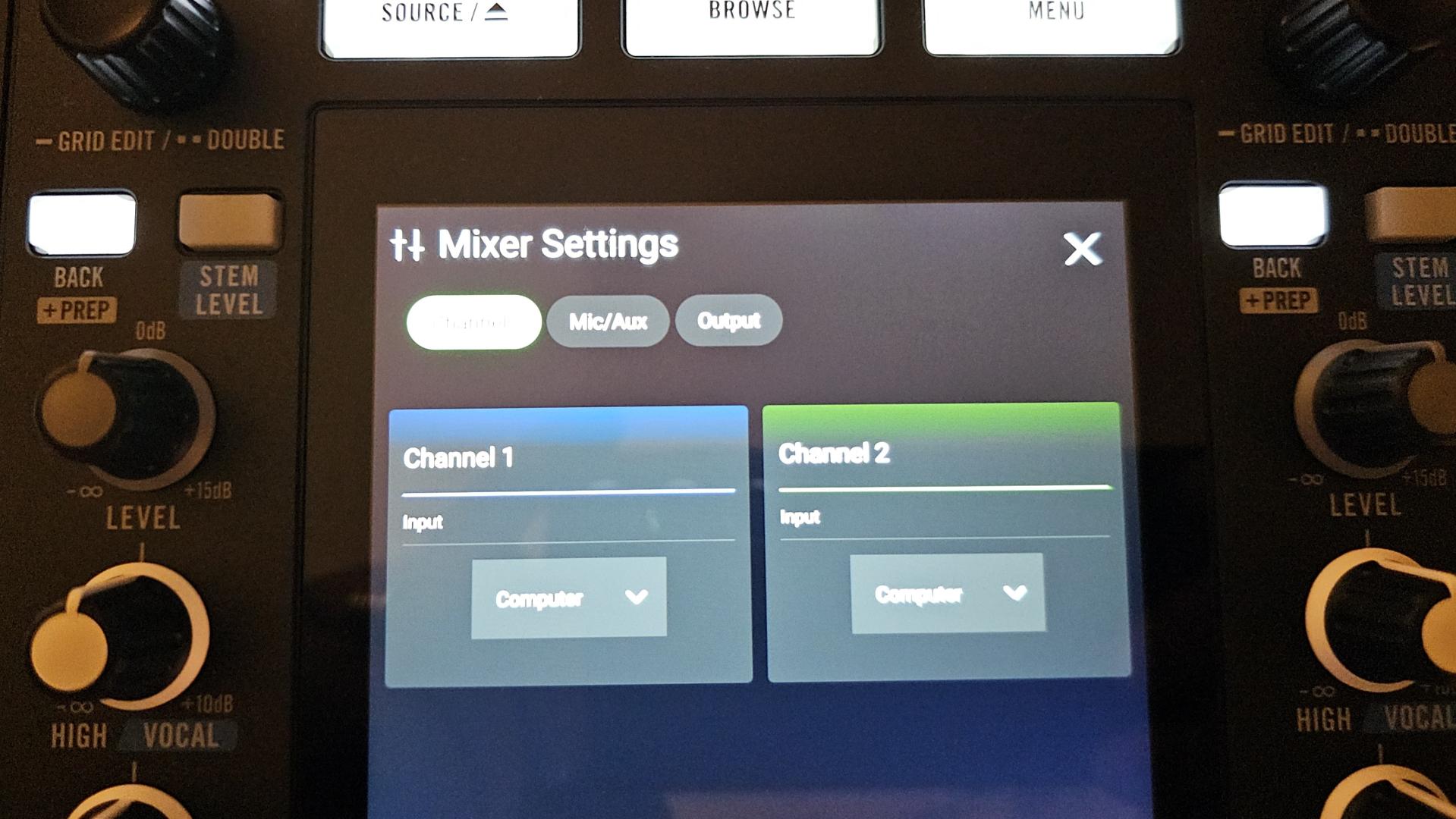
Found the option to switch between Engine and computer in the mixer button options. Knew it had to be somewhere :)
Mensajes Tue 27 Jan 26 @ 7:36 pm
 djdad
djdad
Yes, you will be able to have access to VDJ Library/Browser and full control of each Deck is switched to Computer Mode.
Mensajes Tue 27 Jan 26 @ 7:38 pm
kradcliffe
Brilliant, thanks for confirming.
Have to say this is one hell of a machine. I'm just blown away by it.
Have to say this is one hell of a machine. I'm just blown away by it.
Mensajes Tue 27 Jan 26 @ 7:52 pm
 traumhochzeitsh
kradcliffe wrote :
Found the option to switch between Engine and computer in the mixer button options. Knew it had to be somewhere :)
kradcliffe wrote :
Is this going to work the same way as previous Denon/In-Music units so it can be used as a traditional style controller?
Found the option to switch between Engine and computer in the mixer button options. Knew it had to be somewhere :)
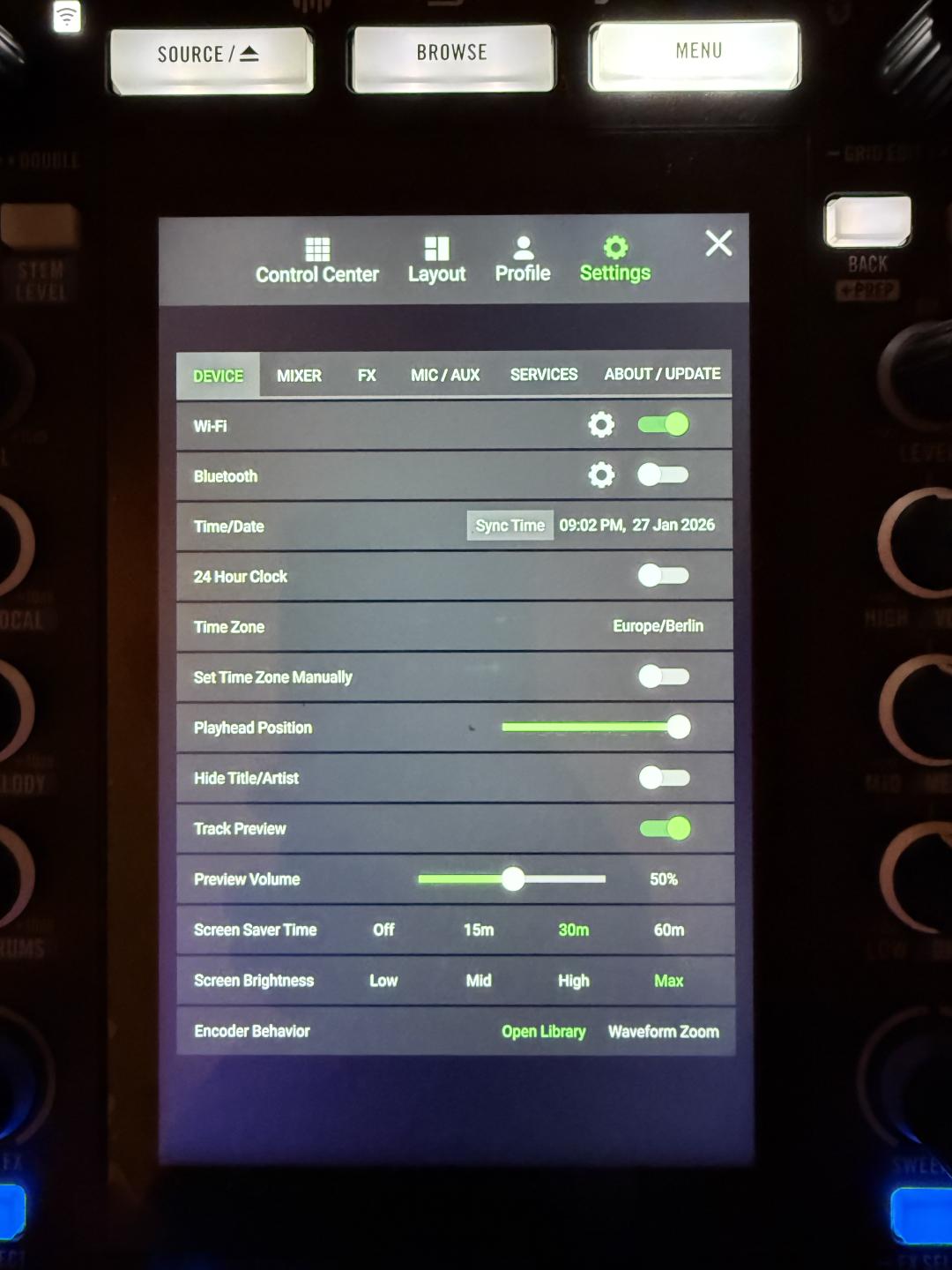
Searching every Option in the Menu but i don‘t get to that Submenu. I got several tabs under „settings“ but I see only 3 on your Screenshot.
Could you Guide me to that Point? Thank you very much! :-)
Mensajes Tue 27 Jan 26 @ 8:00 pm
kradcliffe
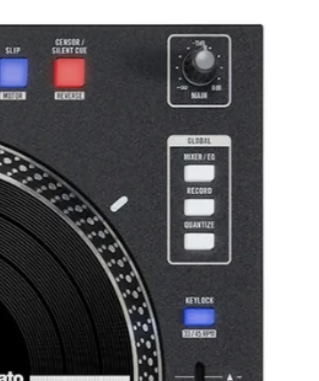
Just press the physical "mixer/EQ" button on the right hand side global bank.
Mensajes Tue 27 Jan 26 @ 8:04 pm
traumhochzeitsh
ROFL 😂 That was to easy. Was there several times. But not in this Competition😂😂
Thanks a Lot.
Thanks a Lot.
Mensajes Tue 27 Jan 26 @ 8:08 pm
DNJ Events and Entertainment
Wassup guys ,
So far the RS1 is enlightening.
I didn’t realize how natural it feels to not look up at a computer .
But software control would be next level , then VDJ would just be behind the scenes .
Now, what are yall talking about w/ computer control and all that . Aren’t we still in wait mode for Serato / VDJ ?
So far the RS1 is enlightening.
I didn’t realize how natural it feels to not look up at a computer .
But software control would be next level , then VDJ would just be behind the scenes .
Now, what are yall talking about w/ computer control and all that . Aren’t we still in wait mode for Serato / VDJ ?
Mensajes Tue 27 Jan 26 @ 8:35 pm
Dan (djtouchdan)
We will have to await support, but it think we are just exploring the controller and seeing its capabilities.
I was able to route audio from VDJ to the System One on my Mac as it is core compliant and doesn't need drivers. I could apply the effects etc and worked well.

I was able to route audio from VDJ to the System One on my Mac as it is core compliant and doesn't need drivers. I could apply the effects etc and worked well.
Mensajes Tue 27 Jan 26 @ 9:06 pm
kradcliffe
So hardware FX then?
Mensajes Tue 27 Jan 26 @ 9:26 pm
Dan (djtouchdan)
I don’t know to be honest. They certainly work at this stage.
Looking at the Virtual DJ manual for the Rane performer, it would suggest it might be both if it’s configured the same:
Source: https://virtualdj.com/manuals/hardware/rane/performer/layout/mixer.html
Looking at the Virtual DJ manual for the Rane performer, it would suggest it might be both if it’s configured the same:
Quote :
Rane Performer features it's own hardware effects, but it also offers the ability to control software effects.
Source: https://virtualdj.com/manuals/hardware/rane/performer/layout/mixer.html
Mensajes Tue 27 Jan 26 @ 9:32 pm
kradcliffe
Cool, will hook it up to my mac tomorrow and see what happens.
Mensajes Tue 27 Jan 26 @ 9:46 pm
DNJ Events and Entertainment
Dan (djtouchdan) wrote :
We will have to await support, but it think we are just exploring the controller and seeing its capabilities.
I was able to route audio from VDJ to the System One on my Mac as it is core compliant and doesn't need drivers. I could apply the effects etc and worked well.
I was able to route audio from VDJ to the System One on my Mac as it is core compliant and doesn't need drivers. I could apply the effects etc and worked well.
So, you were able to route audio , meaning the VDJ decks were playing and the audio of the decks played through the RS1. Did the waveforms show on-screen during that test . I’m assuming no ? Explain.
Look at us giving the play by play on every little thing. We’re fanatics
Mensajes Wed 28 Jan 26 @ 1:44 am
kradcliffe
DNJ Events and Entertainment wrote :
Did the waveforms show on-screen during that test . I’m assuming no ? Explain
No, the display is blank as there is no definition or mapper at the moment. See below. Also none of the buttons or platters work which is to be expected at this stage.
Good news is that all controller four FX banks work correctly, so it seems hardware FX are supported, which is great as you can use exactly the same parameters whether in VDJ or Engine.

Mensajes Wed 28 Jan 26 @ 9:49 am
kradcliffe
Can any of the team advise re. exporting to CDJ (Rekordbox) mode for Engine OS? As above I tried last week in CDJ2000 mode and it didn't work properly.
Mensajes Thu 05 Feb 26 @ 8:49 pm
