RMX-95
Configuración Avanzada
Reloop RMX-95 offers 2 built-in USB Audio interfaces (sound cards) by connecting the device with a USB port of a computer using the USB A or USB B sockets and each one of them offers 10 Outputs and 10 Inputs.
Record & BROADCAST
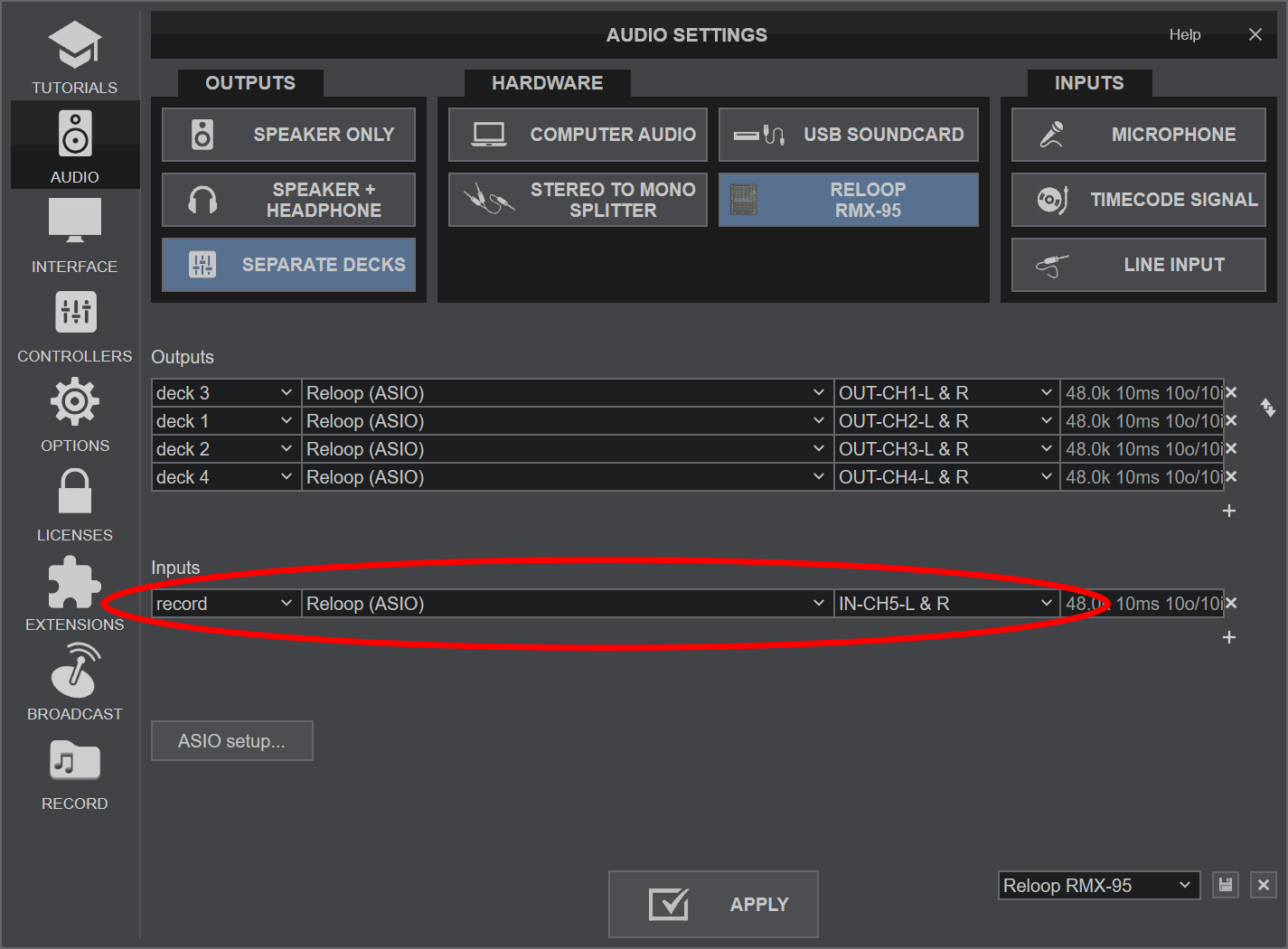
Recording and /or broadcasting your mix with a mixer applying it's own audio mixing, Equalizer and Effects, requires a dedicated Recording Input. By default VirtualDJ is using Inputs 9,10 and the special Record input (shown as channel 5 in Reloop ASIO panel) is included in the pre-defined Audio setup of VirtualDJ
TIMECODE - DVS
By default up to 4 Timecode inputs can offer DVS control to 4 VirtualDJ Decks, using CH Inputs 1 to 4. Read further information for Timecode Inputs at VirtualDJ Manual
- Depending on the DVS/Timecode device type (Turntable-Vinyl or CD), connect your Timecode device to the LINE or PHONO inputs at the rear panel of the RMX-95
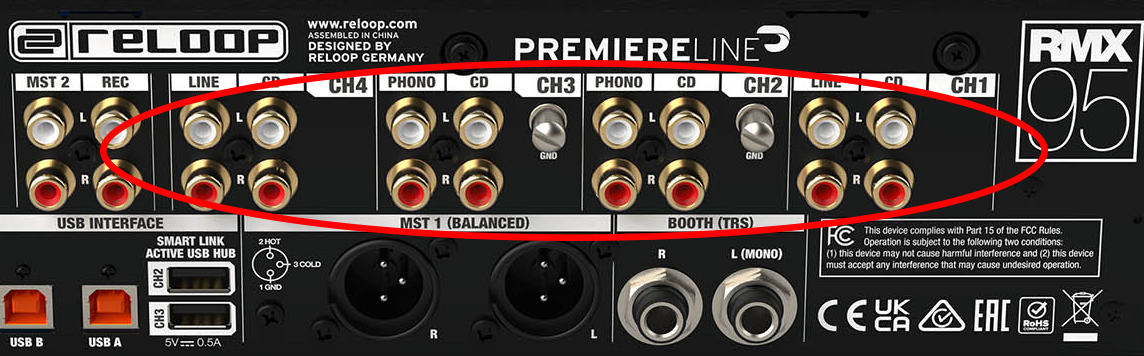
Reloop RMX-95 - Rear panel - Timecode Inputs - Open VirtualDJ Settings and select the AUDIO tab.
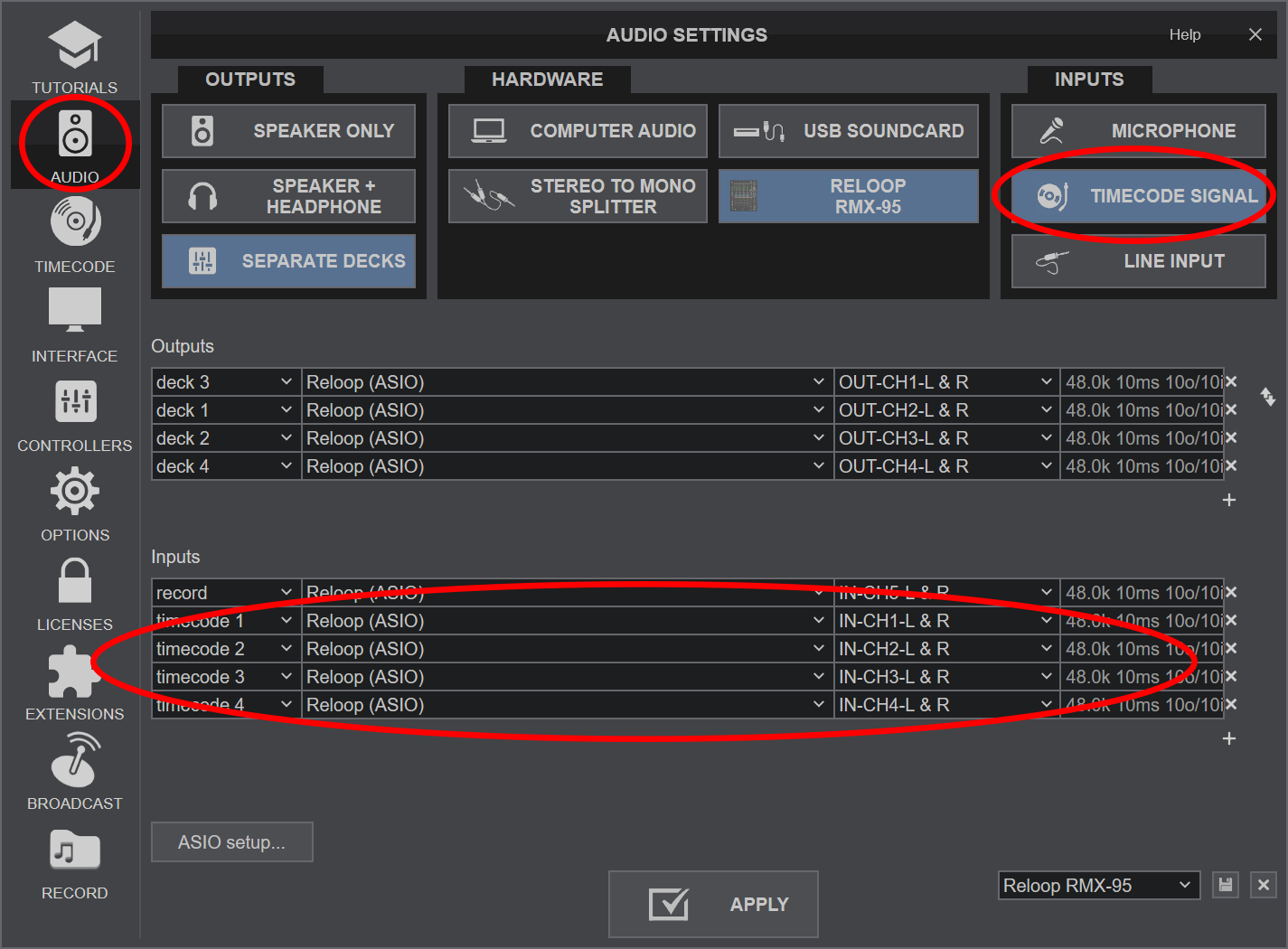
- Click on the TIMECODE SIGNAL button at the top-right and VirtualDJ will add the necessary inputs in sound setup. You can remove or add extra inputs if required (e.g use only 2 of them if you are using just 2 Timecode inputs)
- Click APPLY.